
Sunday, 17 January 2016
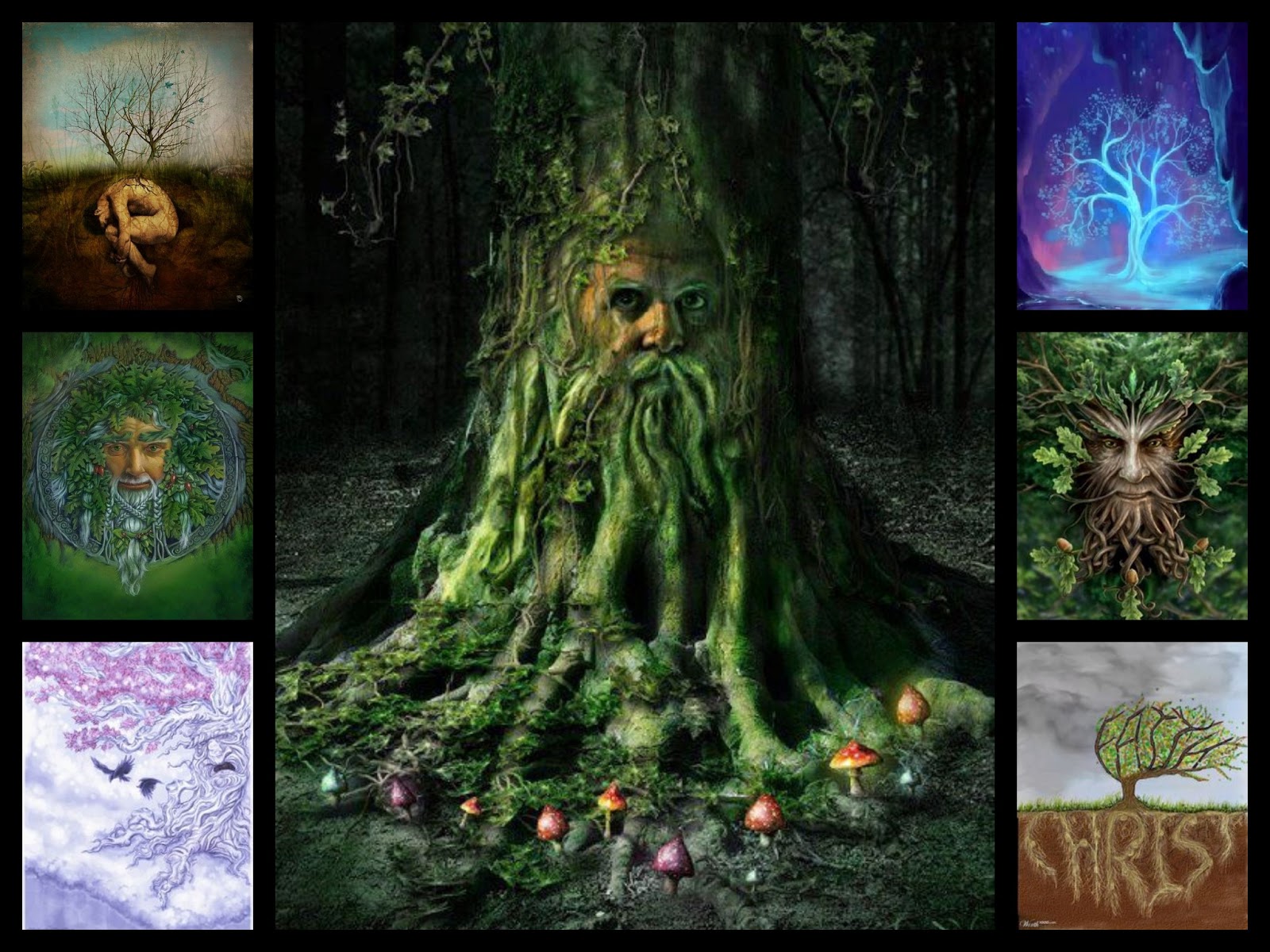
Pintrest Inspiration
I found these images earlier on pinterest through looking up "Old Man Face Illustration". It has sparked many ideas for my movie poster and magazine.


Teaser Trailer Construction
Here I have shown the processes used to create my teaser trailer. I started with opening final cut and inserting all of the essentials and work my shots in around these. I found a nice inter-title effect that had the earth in it, kind of reminded me of the universal studios production opening for movies so I decided to use it, as it would be recognised as a production company opening. I then called it Animation studios, as it fits in with the genre of fantasy animation.

I had to make sure that the timing was correct so I set up a timeline of a minute and worked back from that, inserting all the essential screens and inter titles first so that my structure was set up properly.

I edited in the inter titles using different fonts and manipulating the effects to fade in and out, making my work more effective and matching the emotive feeling I wanted the audience to feel, seeing as it is not aimed at children.


I had to make sure that the timing was correct so I set up a timeline of a minute and worked back from that, inserting all the essential screens and inter titles first so that my structure was set up properly.

I edited in the inter titles using different fonts and manipulating the effects to fade in and out, making my work more effective and matching the emotive feeling I wanted the audience to feel, seeing as it is not aimed at children.

Saturday, 16 January 2016
Animation Construction on Photoshop CC 2015
Here I have replicated my previous presentation on Photoshop CS6 except this time I have taken you through the features and extras of the new version of Photoshop in regards to constructing an animation. There is also a video at the end which helped me a lot in regards to making movement, Youtube has been a huge inspiration for me to create an animation and solve all of my photoshop problems in the making!

Friday, 15 January 2016
Rotoscoping
In my teaser trailer I will be attempting to rotoscope images (draw over the top of them) to animate the live footage.
 Rotoscoping is an animation technique in which animators trace over footage, frame by frame, for use in live-action and animated films. Originally, recorded live-action film images were projected onto a frosted glass panel and re-drawn by an animator. This projection equipment is called a rotoscope. Although this device was eventually replaced by computers, the process is still referred to as rotoscoping. In the visual effects industry, the term rotoscoping refers to the technique of manually creating a matte for an element on a live-action plate so it may be composited over another background.
A Scanner Darkly is a 2006 American adult animated science fiction thriller film directed by Richard Linklater based on the novel of the same name by Philip K. Dick. The film tells the story of identity and deception in a near-future dystopia constantly under intrusive high-technology police surveillance in the midst of a drug addiction epidemic. The film was shot digitally and then animated using interpolated rotoscope, an animation technique in which animators trace over the original footage frame by frame, for use in live-action and animated films, giving the finished result a distinctive animated look. It was distributed by Warner Independent Pictures and it was the first (and only so far) animated film released by Warner Independent Pictures.
After principal photography was finished, the film was transferred to QuickTime for a 18-month animation process: interpolated rotoscoping. A Scanner Darkly was filmed digitally using the Panasonic AG-DVX100 and then animated with Rotoshop, a proprietary graphics editing program created by Bob Sabiston.

 Rotoshop uses an animation technique called interpolated rotoscope, which was previously used in Linklater's film Waking Life. Linklater discussed the ideas and inspiration behind his use of rotoscoping in Ashraf's documentary, linking it to his personal experiences of lucid dreaming. Rotoscoping in traditional cel animation originally involved tracing over film frame-by-frame. This is similar in some respects to the rotoscope style of filmmaker Ralph Bakshi. Rotoshop animation makes use of vector keyframes and interpolates the in-between frames automatically.
 In my A2 Art coursework I attempted a still form of rotoscoping
for my final piece. I realised quickly with rotoscoping that the artists that create them really emphasise and exaggerate the features of the image, making them slightly goofier, more like a caricature than real life person, giving off the animated feel and adding a lot more detail and depth to the work.

 Rotoshop uses an animation technique called interpolated rotoscope, which was previously used in Linklater's film Waking Life. Linklater discussed the ideas and inspiration behind his use of rotoscoping in Ashraf's documentary, linking it to his personal experiences of lucid dreaming. Rotoscoping in traditional cel animation originally involved tracing over film frame-by-frame. This is similar in some respects to the rotoscope style of filmmaker Ralph Bakshi. Rotoshop animation makes use of vector keyframes and interpolates the in-between frames automatically.
The animation phase was a trying process for Linklater who said, "I know how to make a movie, but I don't really know how to handle the animation." He had gone the animation route because he felt that there was very little animation targeted for adults.

for my final piece. I realised quickly with rotoscoping that the artists that create them really emphasise and exaggerate the features of the image, making them slightly goofier, more like a caricature than real life person, giving off the animated feel and adding a lot more detail and depth to the work.
To do this I imported the image to Photoshop and used my Graphics tablet to draw over the top. My teaser trailer will have elements of this in it but mainly it will be pure animation. The image on the left is the picture I took of my friend Lucy, the image below is the illustration I created of it, using rotoscoping techniques.


Wednesday, 13 January 2016
New Poster Inspiration
Through further investigation into movie posters and a lot more brainstorming on what films i could reference back to, the perfect example came to mind, Pixars 'A Bugs Life'.
Once I looked up the posters I fell in love all over again, as well as this the posters began to spark an idea in my head. I love the way the leaf was used to create a border/background and it would reference perfectly to my film. The different styles and compositions are used cleverly as the bugs 'break the fourth wall' and peer through at their audience. I would want to recreate this by using the leaf in the foreground, the young boy in my script on the left, the old man on the right placed just behind the leaf and the tree in the background, slightly hidden between the two characters. Another composition like the one of them peering in from the side view could say be used for my magazine front cover.


Once I looked up the posters I fell in love all over again, as well as this the posters began to spark an idea in my head. I love the way the leaf was used to create a border/background and it would reference perfectly to my film. The different styles and compositions are used cleverly as the bugs 'break the fourth wall' and peer through at their audience. I would want to recreate this by using the leaf in the foreground, the young boy in my script on the left, the old man on the right placed just behind the leaf and the tree in the background, slightly hidden between the two characters. Another composition like the one of them peering in from the side view could say be used for my magazine front cover.


Tuesday, 12 January 2016
Teaser Trailer First Draft
Here is the first draft of my teaser trailer. I know that it is quite short but considering it takes far longer for me to gather footage my teaser trailer will be a tad shorter than standard time. Its only rough and early days yet but I am having fun working on it.
Sunday, 10 January 2016
How I am constructing my Teaser Trailer
To make my footage for teaser trailer I will be using my Laptop, Ugee Graphics tablet and Photoshop CC 2015. Later then when I have the footage I will bring it into Final Cut Pro and edit it together into a teaser trailer format that suits my genre.
When plugged into my laptop using as USB cable, the tablet acts as a mouse with the pressure sensitive tip on the pen allowing to make thin and thick lines depending on how much pressure is applied. This helps a lot meaning the pen is as close to a real pencil as possible whilst creating images and illustrations on photoshop.
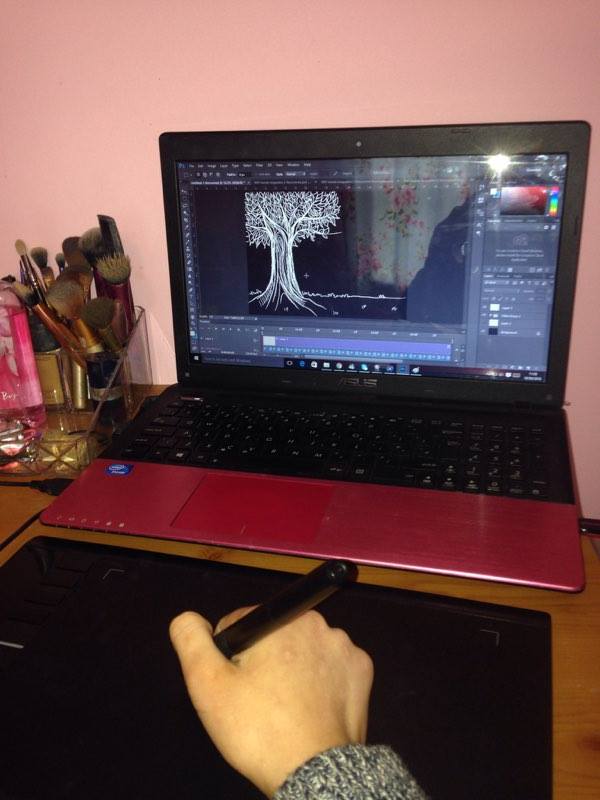


The buttons at the side of my tablet allows me to use shortcut keys, such as quickly flicking backwards and forwards through frames, undoing, erasing and rendering. Making work easier and faster to complete.


When plugged into my laptop using as USB cable, the tablet acts as a mouse with the pressure sensitive tip on the pen allowing to make thin and thick lines depending on how much pressure is applied. This helps a lot meaning the pen is as close to a real pencil as possible whilst creating images and illustrations on photoshop.
The buttons at the side of my tablet allows me to use shortcut keys, such as quickly flicking backwards and forwards through frames, undoing, erasing and rendering. Making work easier and faster to complete.
Subscribe to:
Posts (Atom)